Outsource
Welcome to the Message for recruiters on HST Sira!
This guide covers the Outsource Management module for handling recruitment outsourcing requests,and payments.
- Navigate to Outsource.
 In this section, you can see list of Outsource requests and payment history tab
Main Sections Available:
- All Outsource Requests - View and manage all outsourcing requests
- Payment History - Track payment transactions.
Outsource Requests Management
- Navigate to Outsource -> All outsource Requests.
Requests List View
The main table displays all outsource requests with the following columns:
| Column | Description |
|---|---|
| # | Request number |
| Company Name | Client company name |
| Subject | Request title and description |
| Priority | Urgency level (Low, Medium, High) |
| Request Type | Full Recruitment or Partial Recruitment |
| Payment Status | Current payment situation |
| Request Status | Current request status |
| Actions | Available operations(View Detail, Reject, Accept & order payment) |
Request Status Types:
- Pending - Awaiting review/action
- Accepted - Request approved
- Rejected - Request declined
Request Details View
- Navigate to Outsource -> All outsource Requests -> Three Dot(⋮) Action menu -> View Details.
 In this section, you can see detail of an individual request Company information tab
Company Information Section
Company Overview:
- Company name and legal structure
- Company description and mission
- Background information
Company Details:
- TIN NUMBER - Tax Identification Number
- COMPANY EMAIL - Primary contact email
- FOUNDED YEAR - Company establishment year
- PHONE NUMBER - Contact phone number
- WEBSITE - Company website URL
- EMPLOYEE COUNT - Number of employees
Documents:
- Business License
- TIN Certificate
- Other company documents
Request Details Section
 In this section, you can see detail of an individual request Request Details tab
Comprehensive information about the specific outsourcing request including requirements, timelines, and special instructions.
Payment Management
 In this section, you can see detail of an individual request Payments tab
Payment Summary
Key Metrics:
- Total Scheduled - Sum of all scheduled payments (ETB 0.00)
- Total Paid - Amount already paid (ETB 0.00)
- Overall Status - Current payment status
- Percentage - Completion percentage of payments
- Payment Installments
Payment Status Types:
- Pending - Payment awaiting processing
- Paid - Payment completed
- Not Paid - Payment not yet made
- Overdue - Payment past due date
Accepting Requests
- Navigate to Outsource -> All outsource Requests -> Three Dot(⋮) Action menu -> Accept & Order payment.
 In this section, you can Accept and order or schedule payment
Acceptance Details:
- Provide acceptance notes for the employer
- Set up payment terms and schedule
- Review and confirm all details Payment Schedule Setup:
- Define payment installments
- Set due dates and amounts
- Configure payment terms
Rejecting Requests
- Navigate to Outsource -> All outsource Requests -> Three Dot(⋮) Action menu -> Reject.
 In this section, you can see confirmation for reject modal
Rejection Reason:
- Provide detailed rejection reason (required)
- Submit formal rejection Cancel option available to abort rejection
Payment History & Tracking
- Navigate to Outsource -> Payment History Tab.
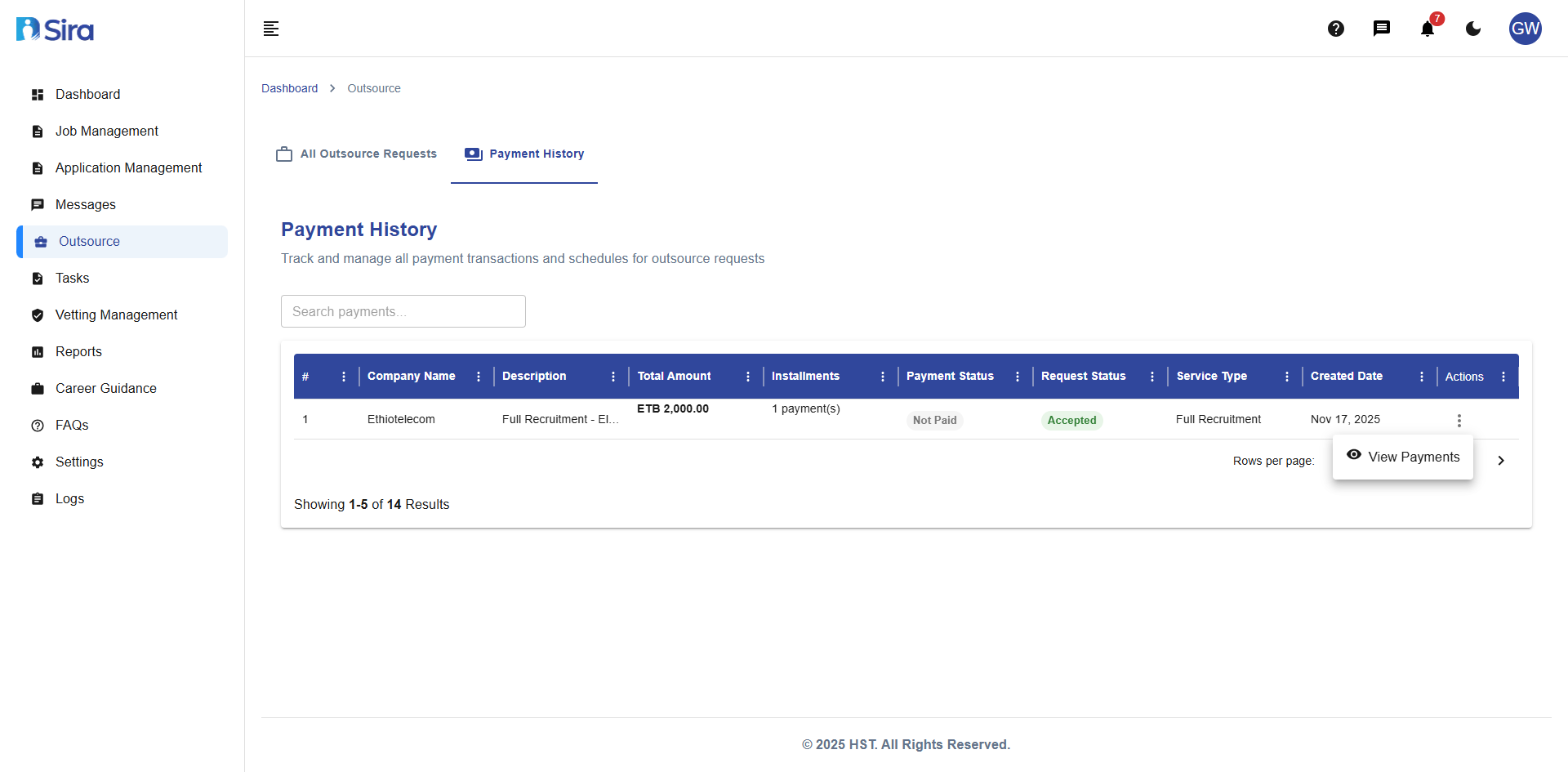 In this section, you can see list of payment transaction for outsource requests
Payment History Dashboard
Search & Filter Options:
- Search by company name or description
- Filter by payment status
- Filter by service type
- Sort by created date
Payment History Table Columns:
| Column | Description |
|---|---|
| Company Name | Client company |
| Description | Payment purpose |
| Total Amount | Complete payment value |
| Installments | Number of payment parts |
| Payment Status | Current payment state |
| Request Status | Associated request status |
| Service Type | Type of service provided |
| Created Date | Request creation date |
| Actions | Available operations (View Payment) |
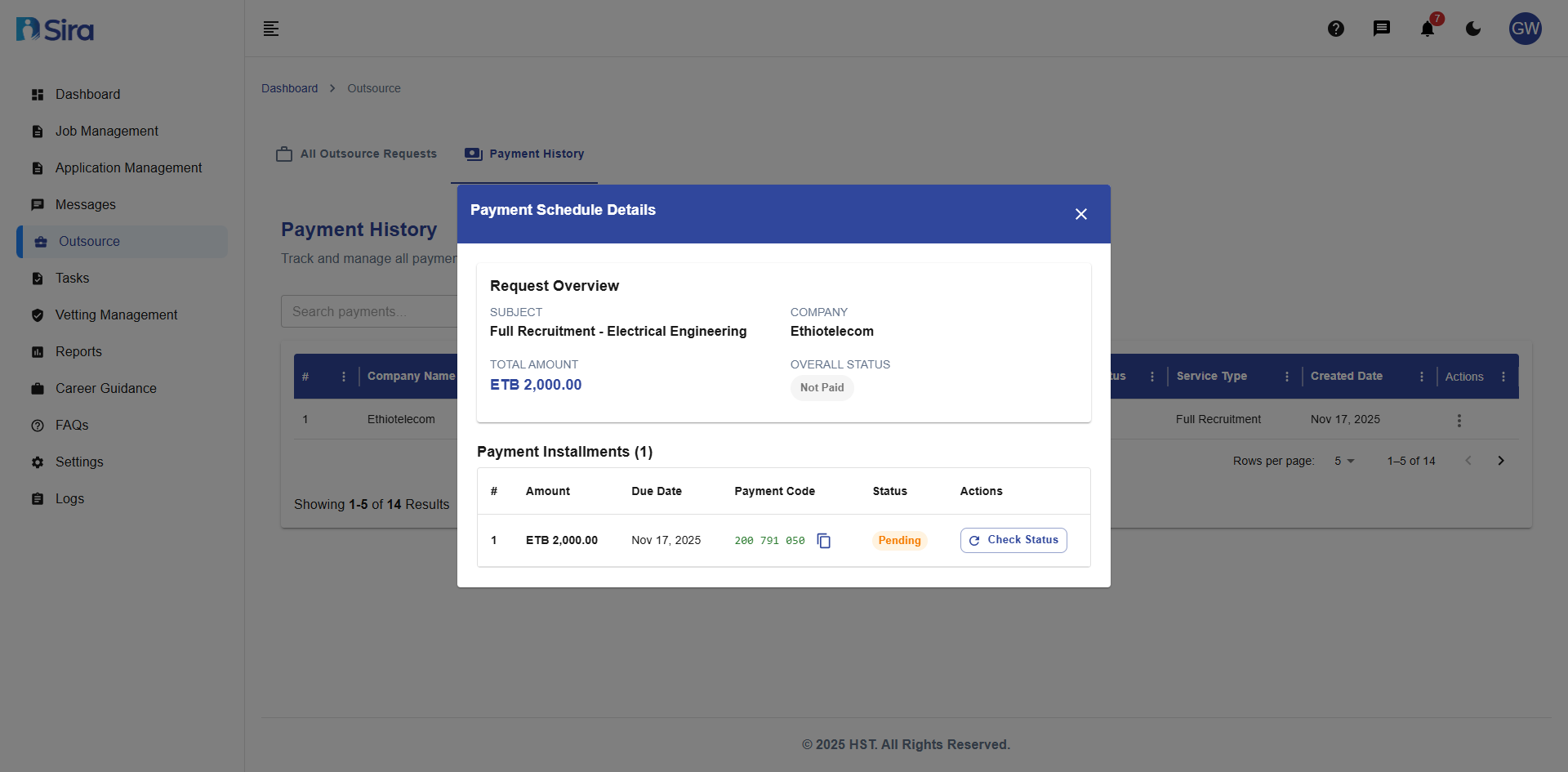
Payment Schedule Details
- Navigate to Outsource -> Payment History Tab -> Three Dot(⋮) Action menu -> View Payments.
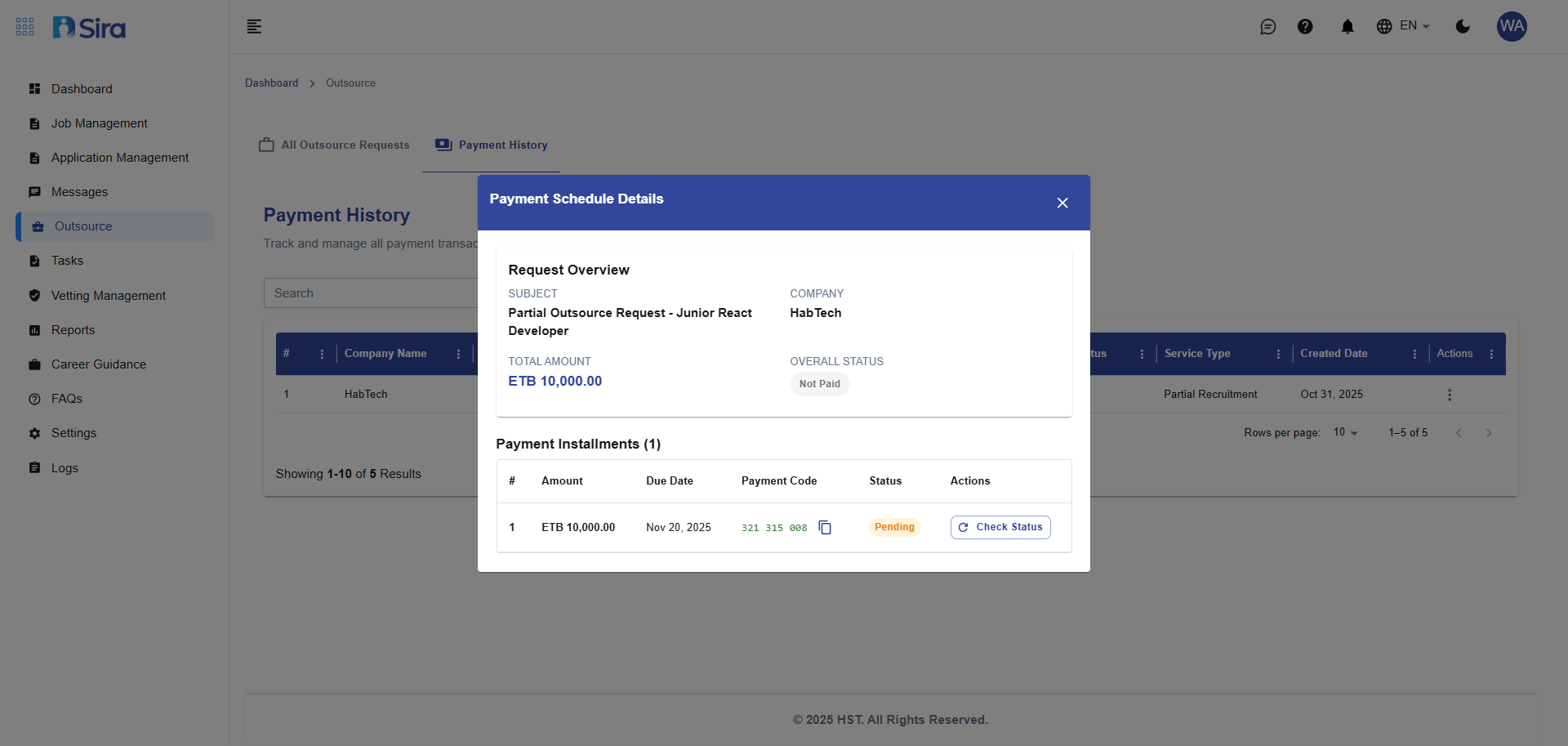 In this section, you can see detail of an individual Payment transaction
Request Overview:
- SUBJECT - Payment purpose description
- TOTAL AMOUNT - Complete payment value
- OVERALL STATUS - Current payment situation
Payment Description:
- Service Type - Type of service rendered
- Created Date - When request was created
- Actions - Available operations
Best Practices
For Request Evaluation:
- Verify all company documents are valid and current
- Check company background and references
- Evaluate payment terms and scheduling
For Payment Management:
- Set clear payment milestones tied to deliverables
- Monitor due dates proactively
- Maintain accurate payment status updates
- Keep detailed payment records and documentation
For Communication:
- Provide clear acceptance/rejection notes
- Document all decisions and their reasons
- Keep stakeholders informed of status changes
Troubleshooting
Common Issues:
- Missing Documents - Request updated documents from company
- Payment Delays - Follow up with client
- Status Not Updating - Verify all required fields are completed
Need Assistance?
- Contact customer support
- Refer to FAQs section for common questions
- Contact system admin for technical issues