Overview
Welcome to the Application Management Guide for recruiters on HST Sira!
This document explains manage Applications and applicants on the platform including both Internal and External job types.
- Navigate to Application Management.
 In this section, you can see job lists,action menu and total count status
1. List Job posted
Understanding the Job List
The main table shows all your job postings with this information:
- Job Title: Name of the position
- Category: Job field/department
- Job Type: Internal/ External
- Status: Current state (Open/Closed)
- Deadline: Application closing date
- Actions: Available operations for each job
2. Application Actions Menu
For each job in your list, you can:
- 👁️ View: See full job details
- 📤 Go To Application: Manage applications and applicant
3. Viewing Job Details
- Navigate to Application Management → On Action Menu click View.
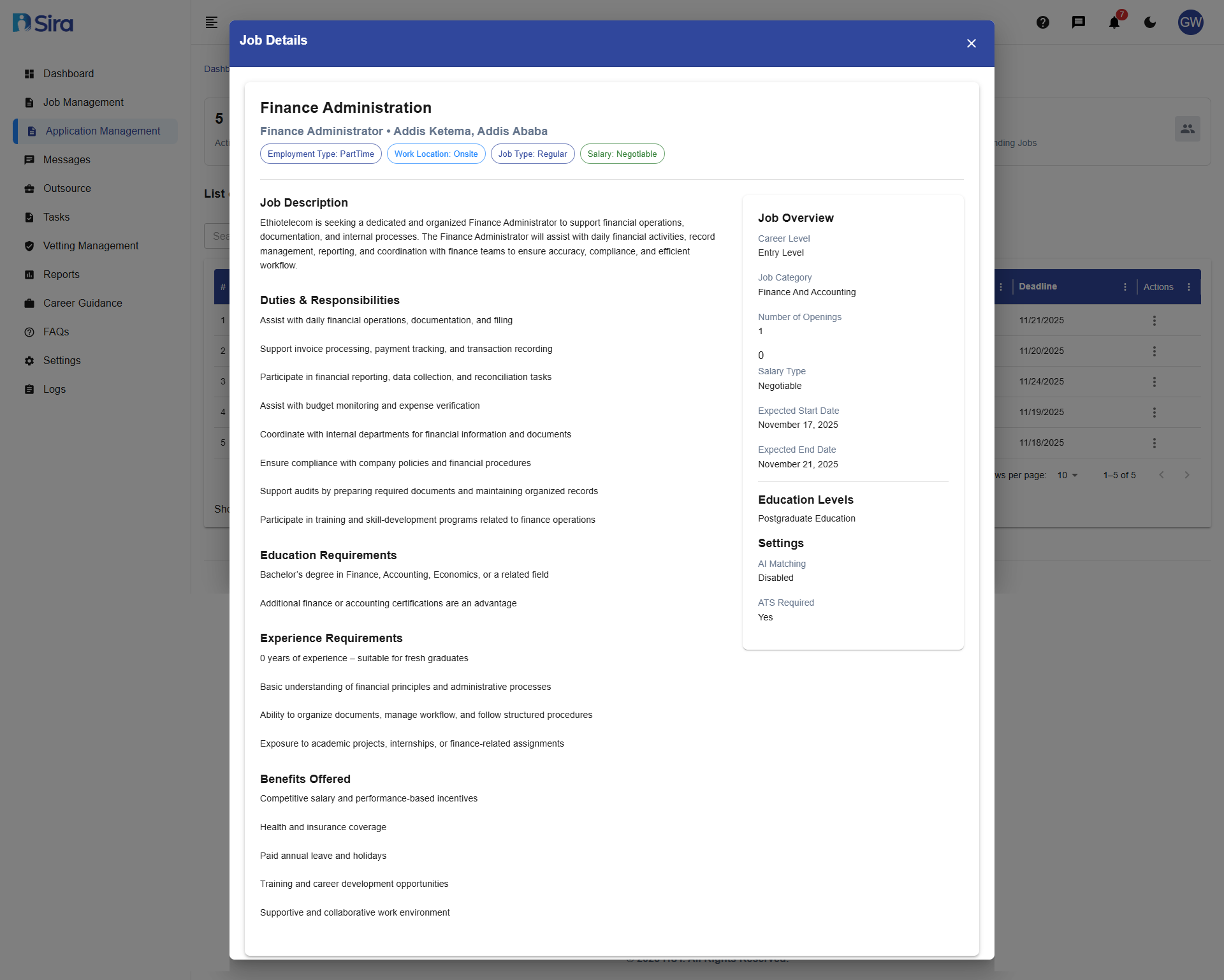 In this section, you can see Detail information for the job clicked view
Essential Information Panel
- Employment Type, Location, Salary
- Post Date and Deadline
- Career Level and Category
Job Metrics
- Number of open positions
- Application statistics
Full Job Description
- Complete role description
- Duties & Responsibilities list
- Education and Experience requirements
Best Practices
-
Regular Monitoring
- Check new applications daily during active recruitment
- Set up notifications for new submissions
- Monitor application-to-hire conversion rates
-
Efficient Screening
- Use consistent evaluation criteria
- Screen applications within 48-72 hours of receipt
- Maintain organized candidate pipelines
-
Communication Standards
- Acknowledge all applications received
- Provide clear timelines for next steps
- Send rejection notices promptly
-
Data Management
- Keep applicant data updated and accurate
- Maintain proper documentation for compliance
- Regularly archive closed position data
-
Internal vs. External Applications
- Process internal applicants with special consideration
- Follow internal mobility policies
- Ensure fair evaluation for all candidate types
Job Posting Optimization
- Keep job descriptions clear and concise
- Set realistic application deadlines
- Regularly update job status
- Monitor application volume and quality
Troubleshooting
Common Issues
Application Access Problems
- "Go To Application" not working: Refresh page or check internet connection
- Missing applications: Verify job status is "Open" and check filters
- Cannot view applicant details: Check user permissions and access rights
Data Display Issues
- Job list not loading: Clear browser cache or try different browser
- Missing job details: Ensure all required fields were completed during job creation
Status Management Problems
- Wrong status displayed: Refresh page or check for system updates
- Status update failures: Ensure all required fields are completed
Technical Issues
- Slow performance: Check internet connection
- Button not responding: Refresh page or restart browser
- Error messages: Note error code and contact technical support
Internal/External Job Confusion
- Wrong job type selection: Double-check during job creation
- Internal applicants not visible: Verify internal posting settings
Need Assistance?
- Contact customer support
- Refer to FAQs section for common questions
- Contact system admin for technical issues