Overview
Welcome to the Career Guidance Guide for recruiters on HST Sira!
The Settings section allows you to manage system notification preferences, and job templates for efficient job management.
- Navigate to Settings.
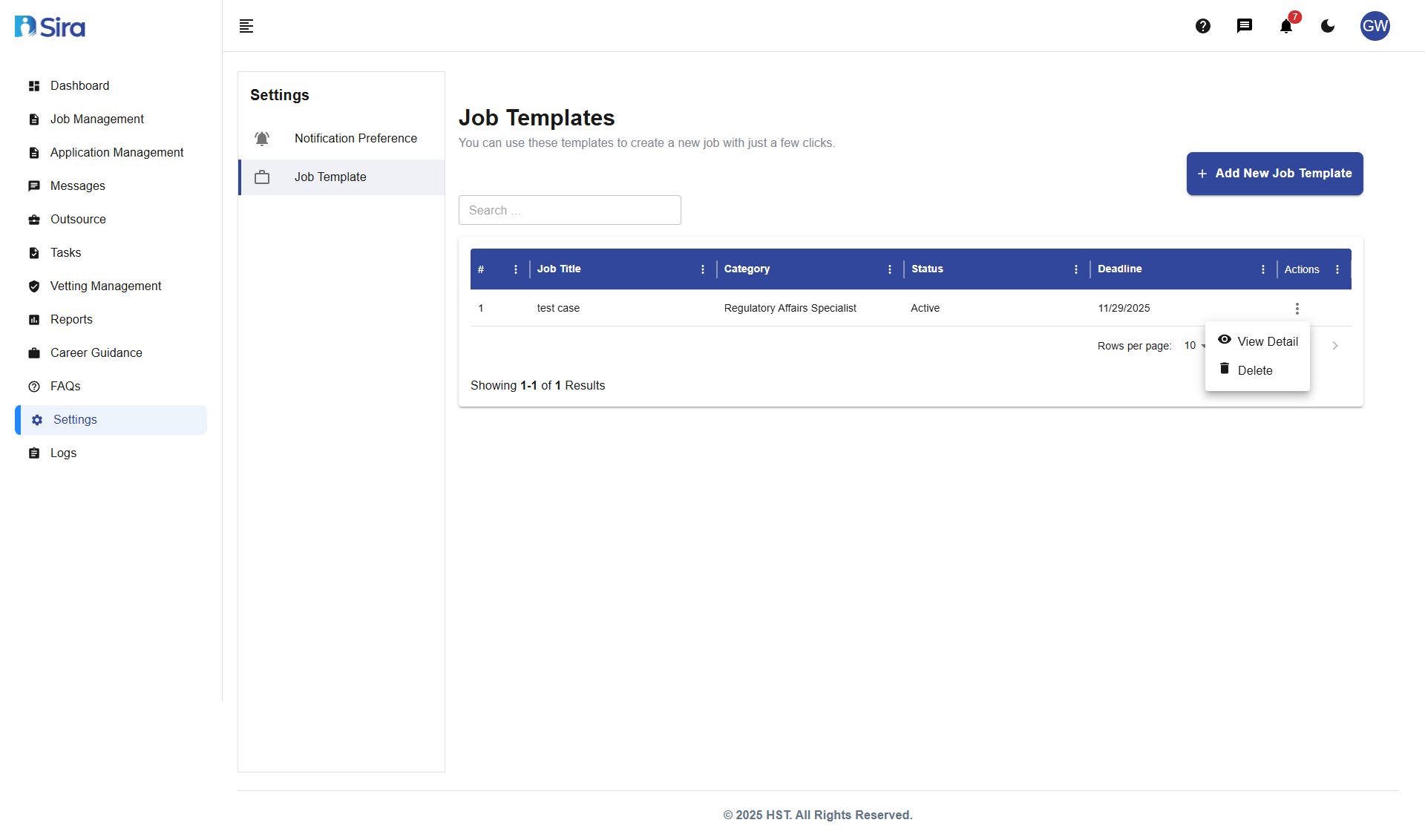 In this section, you can see Notification preference and Job template(By default)
Settings Sections
Main Categories:
1. Notification Preferences
- Manage email and system notification templates
- Configure communication preferences
- Customize automated messages
2. Job Templates
- Pre-designed job posting templates
- Quick job creation from existing formats
- Template management and organization
Job Templates Management
- Navigate to Settings -> Job Template.
Overview
Job Templates allow you to create new job postings quickly using pre-designed formats.
Template List Table:
| Column | Description |
|---|---|
| Job Title | Name of the job template |
| Category | Job category or department |
| Status | Template availability (Active/Inactive) |
| Date/Time | Creation or last modification date |
Template Search:
- Use the search bar to find specific job templates
- Filter by job title
- Quick access to relevant templates
Notification Preferences
- Navigate to Settings -> Notification Preference.
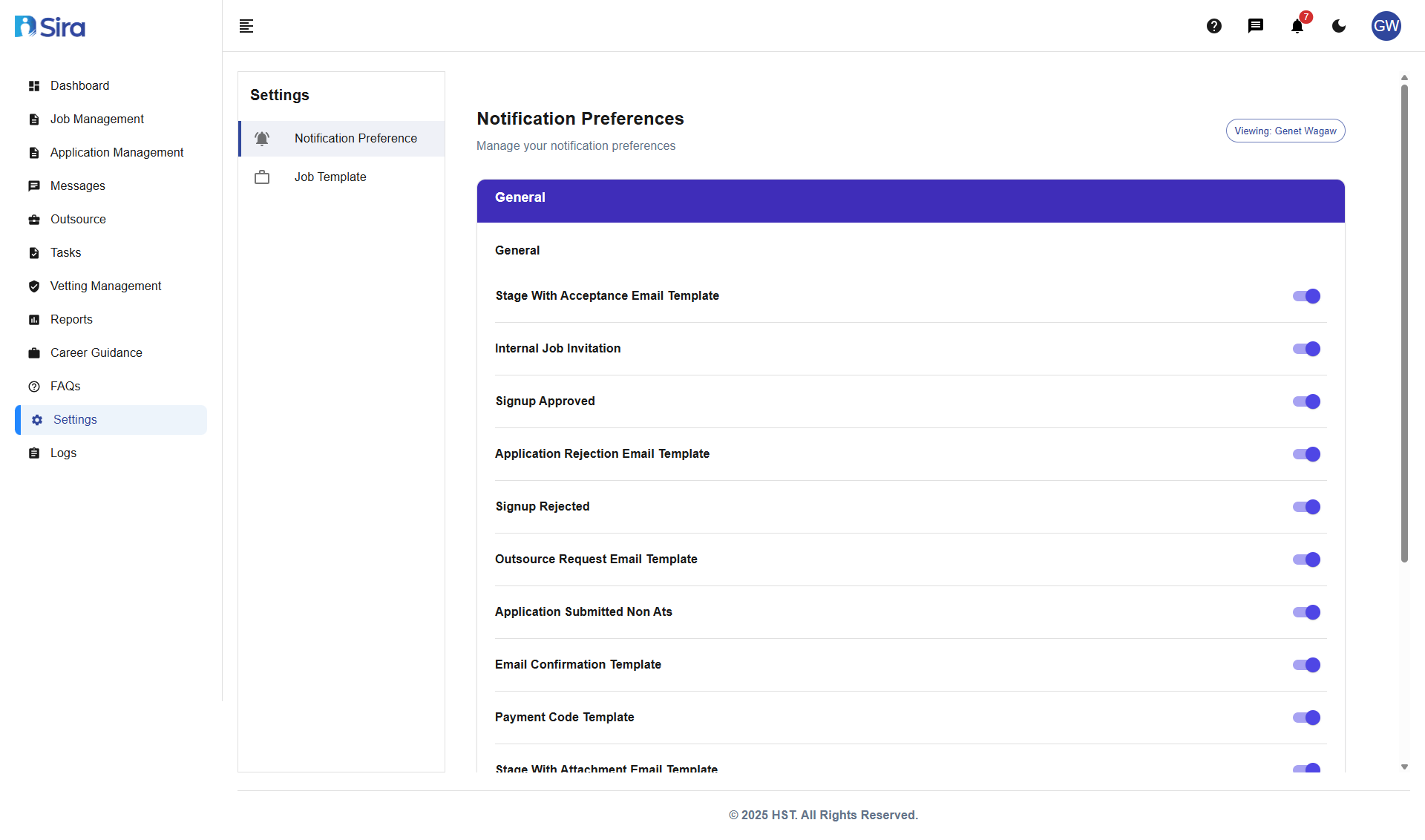 In this section, you can see Notification lists with toggle to enable or disable
Overview
The Notification Preferences section allows you to manage all system-generated communications and email templates.
- Enable/Disable: Turn specific notifications on or off
Best Practices
Notification Management:
- Review Templates: Regularly check notification templates for accuracy
- Test Communications: Send test emails to verify formatting
- Update Content: Keep notification messages current and professional
- Monitor Delivery: Ensure notifications are being sent successfully
Job Template Usage:
- Choose Relevant Templates: Select templates that match your job type
- Customize Appropriately: Modify templates to reflect specific role requirements
- Maintain Consistency: Use templates to ensure uniform job descriptions
- Update Regularly: Refresh templates with new best practices
Template Organization:
- Categorize Properly: Assign templates to correct job categories
- Clear Naming: Use descriptive names for easy identification
- Regular Review: Periodically review and update template library
- Archive Old Templates: Remove or disable outdated templates
Troubleshooting
Common Issues:
Template Not Found
- "Cannot locate specific job template": Use search functionality or check different categories
Notification Not Sending
- "Email notifications not being delivered": Check notification preferences and template settings
Template Formatting Issues
- "Job template displays incorrectly": Contact administrator for template correction
Missing Notification Templates
- "Expected notification type not available": Contact system administrator to add new templates
Need Assistance?
- Contact customer support
- Refer to FAQs section for common questions
- Contact system admin for technical issues